Online payment is a workflow decision, not just a button
A small business website can look finished and still leave one important question unanswered:
When should the customer be able to pay?
For some businesses, the answer is obvious. A restaurant taking pickup orders, a studio selling a class, or a consultant collecting a standard deposit may benefit from online payment right away. The customer knows what they are buying, the price is clear, and the business knows what should happen after checkout.
For other businesses, adding a payment button too early creates more friction than it removes. A contractor may need photos and measurements first. A service provider may need to confirm location, timing, and scope. A custom software project may need a conversation before any real price makes sense.
The useful question is not whether online payments are modern. The useful question is whether your website is ready to accept money without confusing the customer or your team.
Add payments when the offer is specific
Online payment works best when the thing being purchased is clear.
That might be:
- a fixed-price service package;
- a consultation fee;
- an appointment deposit;
- an event ticket;
- a class or workshop;
- a restaurant order;
- a subscription;
- or a quote that has already been approved.
The common thread is certainty. The customer should understand the price, the timing, the limits, and the next step before they pay.
If the offer is still fuzzy, the payment step may be premature. A generic "pay now" button on a vague service page can make people wonder whether they are paying a deposit, the full price, a consultation fee, or something else entirely. That uncertainty slows people down.
The website should answer the practical questions first: what is included, what is not included, what happens after payment, and when a human will follow up.
Use deposits when the project needs human confirmation
Many service businesses are not selling a simple checkout item. They are selling work that depends on timing, location, availability, or scope.
In that case, a deposit can be healthier than full payment.
A deposit can help when the business needs to:
- hold an appointment time;
- confirm a quote before scheduling work;
- collect commitment for a consultation;
- reserve an event date;
- or begin a project that still has a larger balance later.
But the deposit needs clean language. The customer should know whether it is refundable, whether it applies to the final total, and what happens if the business cannot accept the job.
This is where website copy, form design, and payment setup have to work together. If the page says "book now," the form asks for a quote, and the checkout collects a random deposit with no explanation, the workflow feels stitched together. If the page explains the process clearly, the deposit can feel natural.
Keep quote-first work out of instant checkout
Some businesses should not rush customers into online payment.
That includes work where the price depends on inspection, custom scope, delivery distance, materials, staff availability, or customer-specific rules. The better first step may be a quote request, discovery call, or intake form.
That does not mean payments stay offline forever. It means payment should happen after qualification.
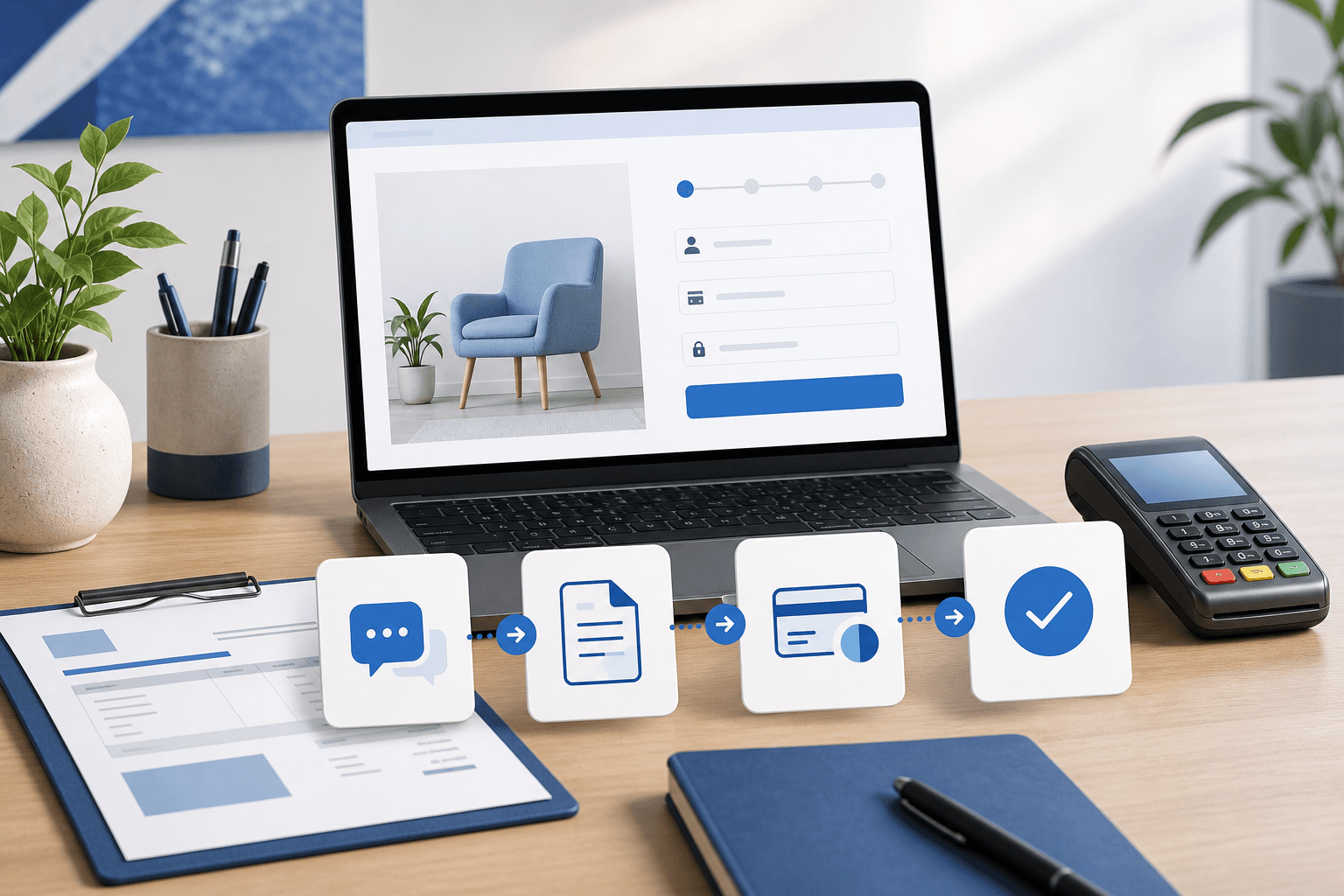
A simple flow can look like this:
- The website collects the right request details.
- The team reviews the request and confirms scope.
- The business sends a quote or payment link.
- The customer pays a deposit, invoice, or subscription.
- The team tracks fulfillment after payment.
That flow is slower than instant checkout, but it is much cleaner when the business needs context before accepting money.
It also connects directly to lead follow-up. If your team loses track of requests after the form is submitted, fix that before adding payment complexity. The article on turning website leads into a simple follow-up system covers that handoff in more detail.
Restaurants are different because the order is the product
Restaurant websites have a different payment problem.
For normal takeout or delivery, the customer usually knows what they are buying because the menu defines the product. The site should help them choose items, select pickup or delivery, understand timing, and pay without calling the restaurant.
That is a strong case for direct online ordering.
But even restaurants have multiple payment paths. A normal lunch order, a catering request, and a private event inquiry should not all behave the same way. The everyday order can go through checkout. The catering request may need headcount, date, location, menu preferences, and a human follow-up before payment.
This is why restaurant ordering is not just a website add-on. When menu rules, pickup timing, delivery fees, and payment all shape operations, ordering starts to behave like software. Blue Penguin can help with the public website and handoff strategy; OmNom is the zero-commission restaurant ordering path when the business needs direct online ordering without extra monthly platform fees.
Subscriptions need a support plan behind them
Subscriptions can be useful when a business sells ongoing service, maintenance, membership, or recurring access.
They also create more responsibility.
Before adding a subscription checkout, decide how the business will handle:
- cancellations;
- failed payments;
- plan changes;
- receipts;
- customer questions;
- and access after payment.
That does not always require a large customer portal. Sometimes a simple checkout and a clear support inbox are enough. But the team should know what happens after the first successful payment.
If customers will need to manage details themselves, view status, update information, or return repeatedly, the project may be moving toward a customer portal or custom software. That is the same line covered in how to tell when your website scope needs a custom quote.
The payment step should match the business stage
There are three practical levels for most small businesses.
The first level is a website that creates inquiries. The customer asks for a quote, sends details, or books a conversation. Payment happens later.
The second level is a website with a specific payment step. The business collects deposits, sells a fixed service, takes restaurant orders, or sends payment links after approval.
The third level is a system. Payments connect to customer accounts, staff dashboards, order status, subscriptions, internal workflows, or mobile app behavior.
None of those levels is automatically better. The right level depends on how much certainty the business has before money changes hands.
If the offer is clear, add payment. If the offer needs review, build a better quote path first. If the business keeps repeating the same payment and fulfillment workflow, consider whether the website should grow into software.
Where Blue Penguin fits
Blue Penguin is a good fit when the payment decision needs to be planned with the website instead of bolted on afterward.
For many local businesses, the first job is still a clear, trustworthy website: pages, calls to action, hosting, domain setup, maintenance, and a cleaner path into the first inquiry. The current offer is $200 to launch, $30/year after that, a three-month satisfaction guarantee, and no contracts. Pricing can still be negotiated when the scope moves into deeper software, mobile app, subscription, portal, or ordering work.
That flexibility matters because online payment is not one feature. It can be a small checkout step, a deposit flow, a restaurant ordering system, a subscription setup, or part of a bigger operational tool.
If you want help deciding which version fits your business, start with Blue Penguin's get started flow. Bring the offer you want to sell, when the customer should pay, and what your team needs to do after payment. Those three answers usually reveal whether you need a simple website payment step or a deeper build.